
Figma Weave - a practical AI workflow for brand campaigns

A campaign can have a strong visual idea and still become inconsistent as it grows. At Sidekick, we’re an award-winning creative agency and very interested in how Figma Weave can help teams carry a visual idea across a whole campaign.The product changes shape between images. Lighting shifts from one format to another. A carefully chosen colour becomes an approximate suggestion. We may earn a commission if you subscribe through this article, which supports our research.
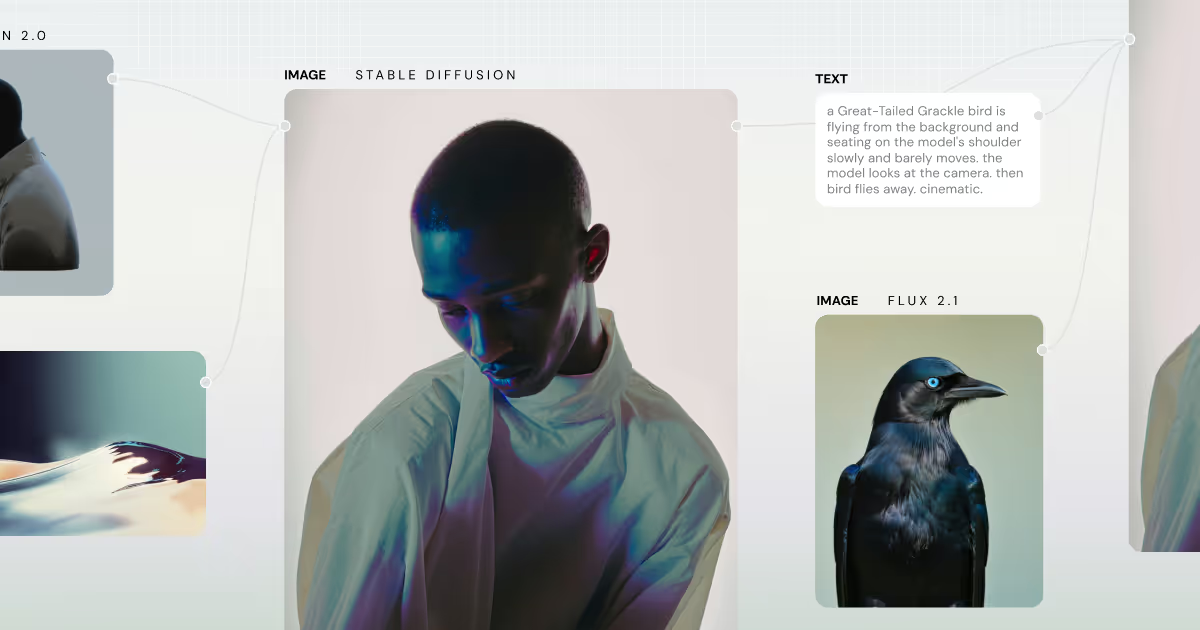
Figma Weave is interesting because it puts AI generation inside a visible workflow. The opportunity for marketing teams is to define how an image is made, then reuse and refine that process across related assets. That is a more useful ambition than asking for a new campaign image from scratch every time.
At Sidekick, Figma is our daily workspace for collaborating with our team and clients. We also use connected AI assistants to help prepare presentations, brand-guideline material and initial layouts. That experience is with Figma's wider ecosystem; we have not established hands-on results with Weave itself.
Figma Design, AI assistants and Weave do different jobs
Figma Design gives a team an editable canvas, components and a place to review work together. Connected assistants can help assemble material when the appropriate tools and permissions are available. Figma's MCP explanation describes ways AI tools can work with design context.
Weave is the separate visual-workflow product in that ecosystem. Its nodes connect inputs, generation and editing operations. In October 2026, Figma published a design-system-to-campaign workflow showing how brand materials can feed campaign collateral. That is a timely direction to investigate, not evidence that every generated output will be brand-compliant.
Start with a campaign system, then generate
Consider a hypothetical drinks launch requiring product imagery for a landing page, paid social and retail screens. Start by separating what must remain fixed from what can change.
The pack, logo, approved copy and brand colours are fixed. The backdrop, lighting treatment and composition can be explored. Keep exact product and typography assets editable wherever possible rather than relying on generation to redraw them correctly.
A useful pilot has five stages:
- Assemble approved references and record what each reference controls.
- Build one visual direction with a clear subject, composition and lighting brief.
- Produce a small set of variations while changing one input at a time.
- Compare outputs side by side for product fidelity and visual consistency.
- Return the selected work to an editable layout for copy, cropping and approval.
This is a proposed evaluation method. It lets a team distinguish an attractive accident from a process another designer can repeat.
The useful measure is accepted assets, not generations
Record the time spent preparing references, generating, correcting and reviewing. Divide the total cost by the number of assets approved for use. Include credits and human finishing time.
Also ask a second designer to repeat the workflow. If success depends on undocumented prompt adjustments in one person's head, the pipeline is not ready to scale. Save the inputs, workflow version and approval notes with the final files.
This is where an agency remains valuable: defining the concept, spotting weak visual logic and deciding what the brand should consistently stand for. Our creative production approach treats tools as part of that process, rather than the source of the idea.
Who should consider Figma Weave?
A small team already comfortable in Figma can trial one bounded visual task. Agencies and mid-market brand teams with repeated campaign formats may gain more from reusable workflows. Enterprises should assess permissions, input rights, procurement requirements and review ownership before wider adoption.
Teams needing only collaborative presentations may get what they need from Figma's other products. Teams requiring specialist compositing may still need a dedicated finishing application. Choose the task before the subscription.
Explore Figma Weave with one real brief and a quality threshold. For examples of the creative direction behind generated brand films, see our AI video work. Then decide whether the workflow helps you make better choices, not merely more pictures.
See these approaches in practice in our portfolio: Stratiphy’s fully AI-generated “Great Timing” advert shows character-led commercial storytelling, while Sage’s AI mentor films show branded avatars and multilingual partner onboarding.


